.png?width=44&height=44&name=joomag%20favicon-blue%20(2).png)
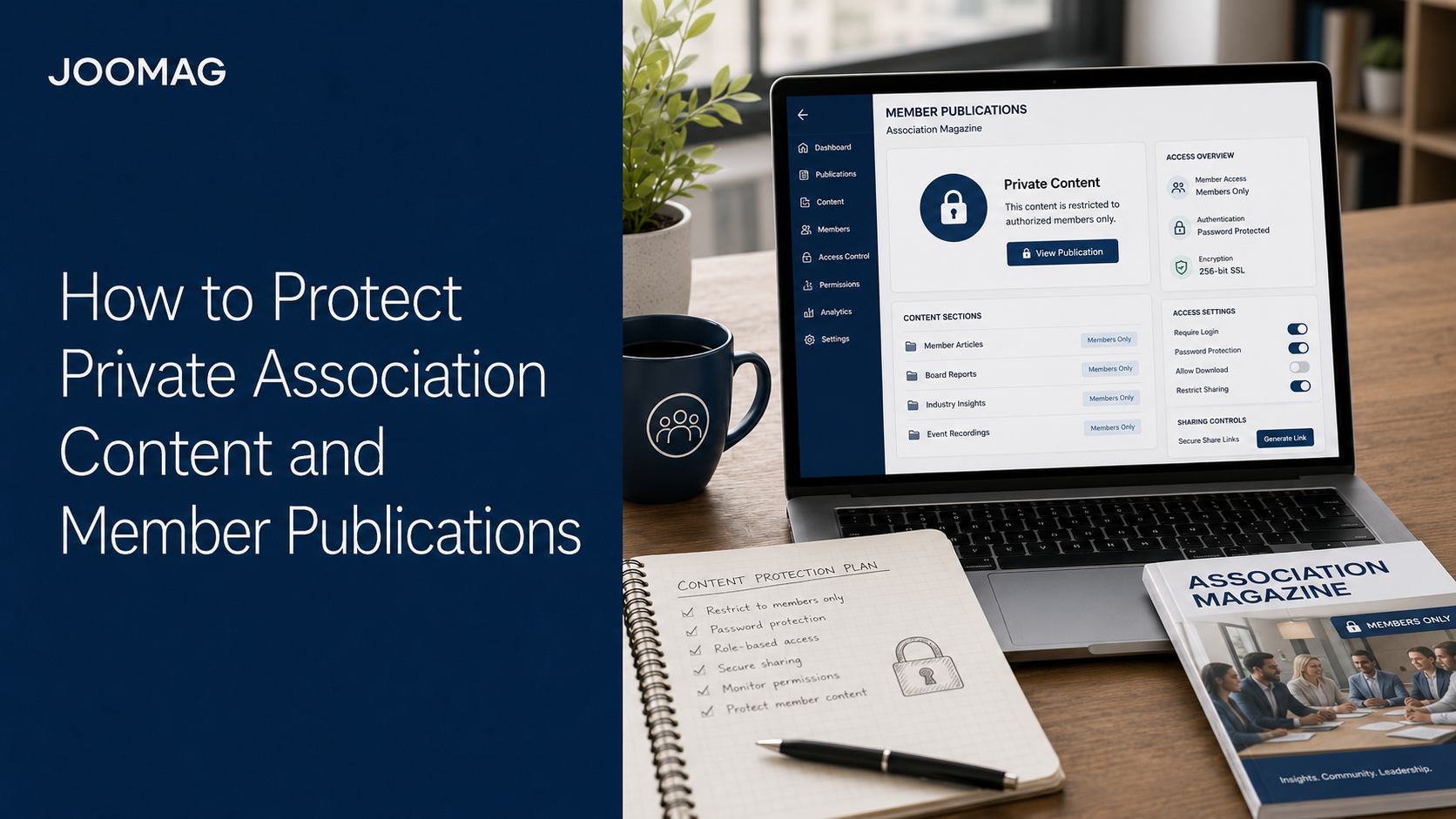
Associations create content that is valuable precisely because it is not available everywhere.
Member magazines, proprietary research, technical standards, training materials, committee documents, policy briefings, and sponsor reports may represent years of expertise and significant investment. In many cases, access to this information is also an important reason people join or renew their membership.
Publishing these materials online creates new opportunities, but it also raises an important question: How can the association make content easy for authorized members to access without making it public to everyone?
The answer is not to hide every publication behind the same password. Associations need a flexible access strategy based on the sensitivity, audience, purpose, and lifespan of each asset.
This guide explains how to protect private association content while preserving a convenient member experience, supporting personalized distribution, and gaining useful engagement insights.
Why Association Content Needs Different Access Levels
Not all content has the same value or risk.
A public thought-leadership article may support search visibility and recruitment. A complete membership magazine may be available only to logged-in members. A board report may be restricted to a small group. A sponsor report may need to be shared with one partner only.
If everything is public, the association may weaken membership value or expose confidential information. If everything is private, it may lose opportunities for discovery, education, and recruitment.
A better approach is to classify content by purpose.
| Content Type | Recommended Access Model |
|---|---|
| Public industry articles | Open access |
| Selected magazine stories | Public and searchable |
| Complete member magazine | Member-only or gated |
| Premium research | Named users or authenticated members |
| Committee documents | Restricted group access |
| Board materials | Individually authorized users |
| Sponsor reports | Private sharing |
| Archived issues | Based on membership or subscription status |
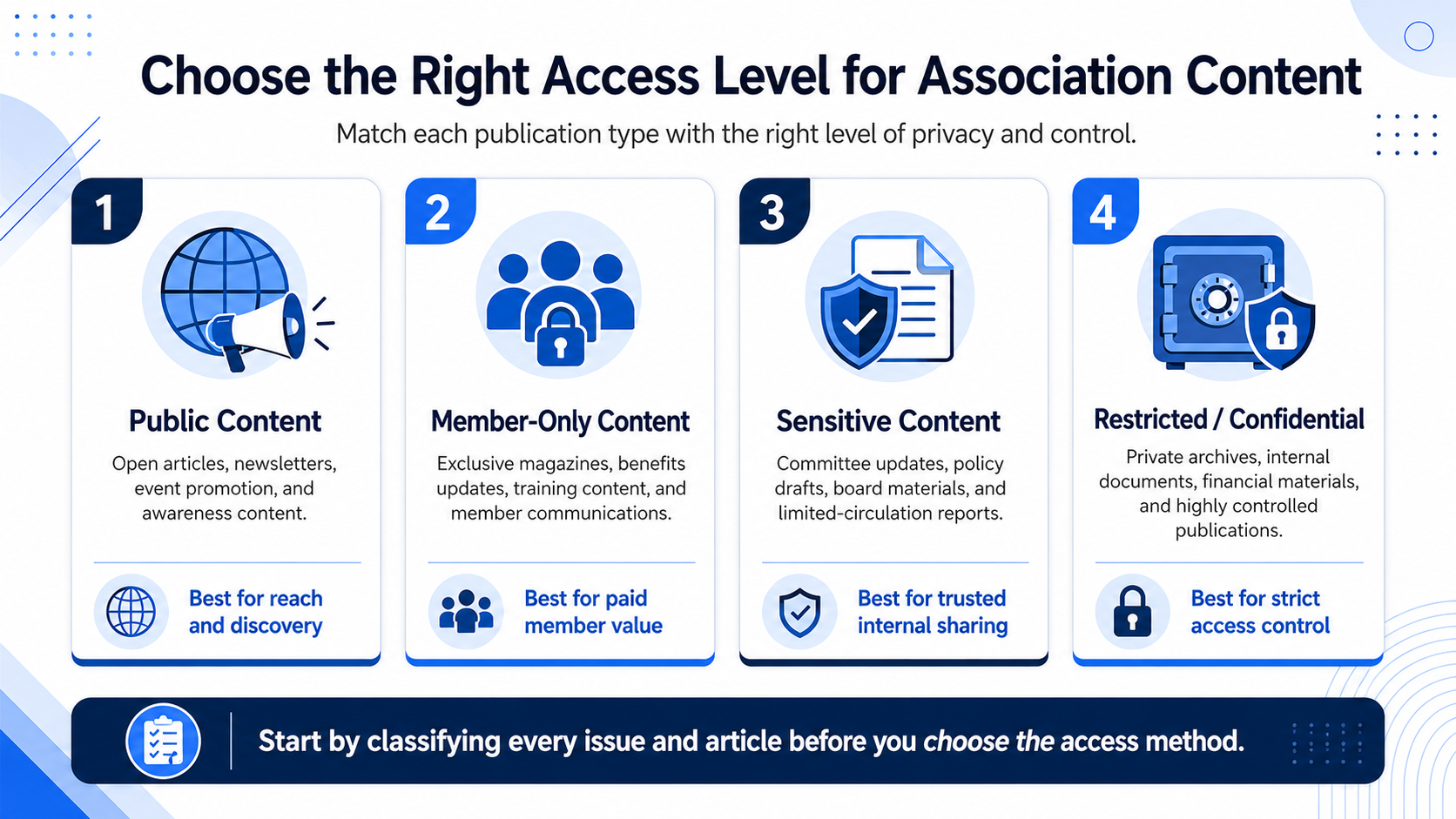
This creates a balanced ecosystem in which public material attracts new audiences and protected material reinforces member value.
Start With a Content Access Policy
For every publication, ask:
- Is it public, member-only, confidential, or commercial?
- Should readers be identified?
- Does access depend on membership level, region, committee, or subscription?
- Should the publication be embeddable?
- Can readers download or share the original file?
- How long should access remain active?
- Who grants and removes access?
- What happens when membership expires?
These decisions should be made before distribution. Correcting access after a confidential document has already been shared is much harder.
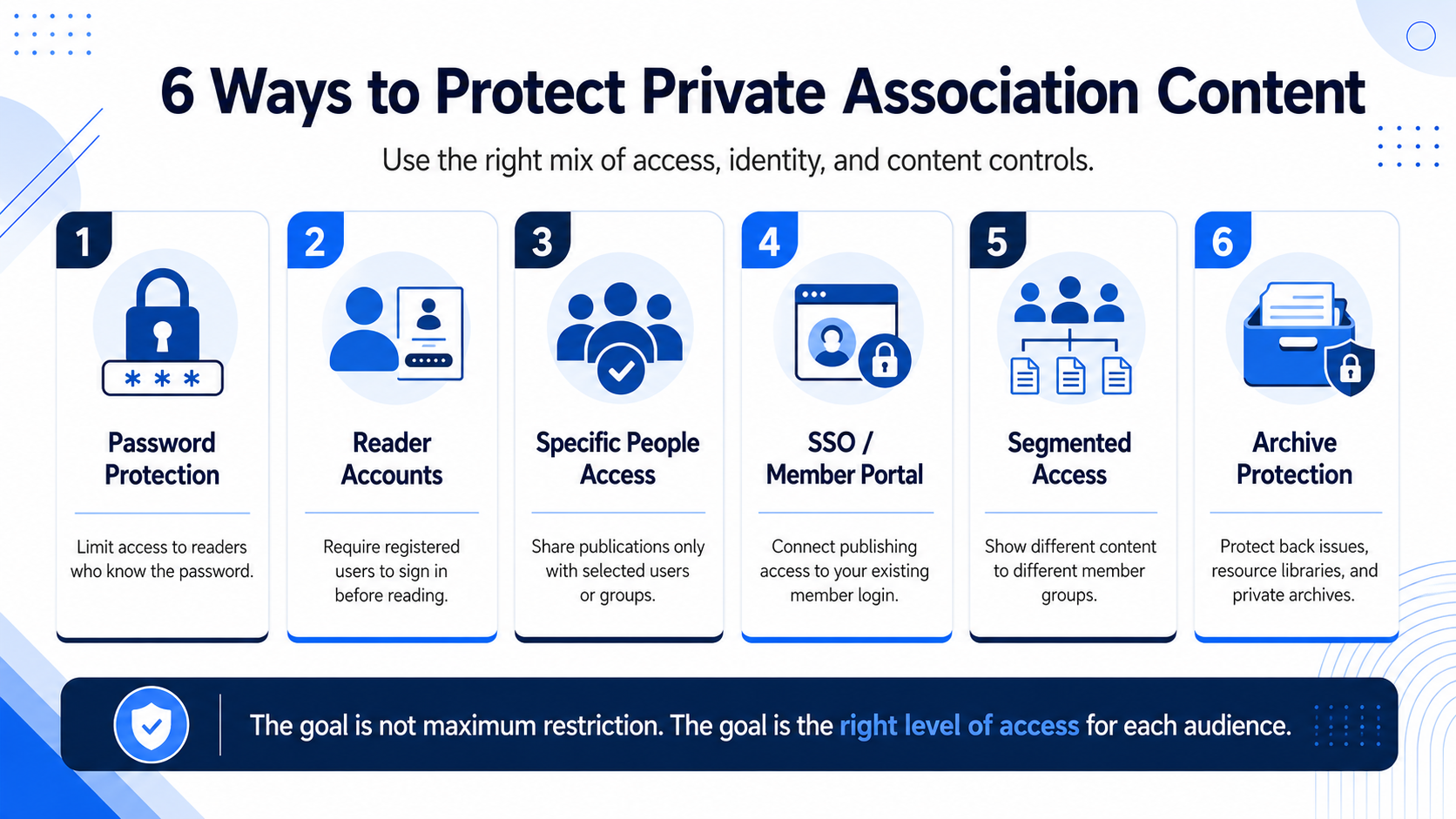
1. Use Open Access for Discoverability
Privacy is not always the right objective.
Public articles can help an association rank in search, appear in AI-generated answers, demonstrate expertise, promote events, support advocacy, and attract prospective members.
A useful model is to make selected responsive articles public while reserving the complete issue, premium research, downloadable resources, or member tools for authenticated readers.
For example, an association could publish a public summary of a benchmarking study and keep the complete report available only to members.
2. Protect Publications With a Password
Password protection is one of the simplest ways to limit access.
It works well for temporary campaigns, event publications, small working groups, previews for partners, and documents that are private but not highly sensitive.
The main advantage is simplicity. Readers can access the publication quickly without maintaining an individual account.
The limitation is that passwords can be forwarded. A shared password does not reliably identify individual readers and may be difficult to manage when access should be removed from one person.
Use password protection when convenience is more important than individual-level control.
3. Grant Access to Specific People
For more control, associations can authorize named individuals rather than sharing one password.
This is useful for board documents, committee reports, paid research, certification materials, sensitive communications, and customized sponsor reports.
Individual access makes it easier to see who is authorized and remove access when a role, partnership, or membership changes.
It may also support more meaningful analytics because engagement can be connected with an identified reader, subject to the relevant privacy and consent framework.
The trade-off is administrative effort. Access lists must remain current.
4. Require a Reader Account
Account-based access can provide a smoother long-term experience than repeatedly entering passwords. It can also help associations build a permission-based contact database and understand which registered readers engage with content.
This model is useful for recurring magazines, content libraries, professional education, prospective-member nurturing, and publications released over several issues.
Keep registration proportionate. Do not require unnecessary information simply to read a publication. Explain why data is collected and how it will be used.
5. Connect Access to the Member Portal With SSO
For associations with an established member portal or identity provider, Single Sign-On can create a more seamless experience.
Members use their existing login to access connected publications instead of maintaining separate credentials.
SSO can reduce login friction, connect access to current membership status, support centralized account control, and reduce password-related support requests.
It is particularly useful when publication access is part of a wider member experience involving event registration, training, account management, and exclusive resources.
SSO requires technical planning. Teams should define how users are identified, what attributes are shared, and what happens when membership status changes.
6. Segment Content by Audience
Member-only does not always mean available to every member.
Associations may serve different membership levels, professional specializations, regions, committees, languages, training cohorts, or subscription products.
Segmented access allows each group to receive content relevant to its role or entitlement.
For example:
- Students receive career resources.
- Certified professionals receive technical standards.
- Board members receive governance documents.
- Regional chapters receive local updates.
- Premium members receive detailed research.
- Sponsors receive campaign reports.
Segmentation improves security and relevance at the same time.
7. Protect Back Issues and Archives
Association archives may contain years of research, professional history, interviews, and technical knowledge.
A public archive can support discovery but may reduce exclusivity. A fully locked archive protects value but makes useful content invisible.
A tiered strategy can:
- Make selected historical articles public.
- Keep recent complete issues member-only.
- Allow subscribers to access specific collections.
- Restrict premium reports by segment.
- Remove access when membership expires.
- Use public previews that lead to membership pages.
This turns the archive into both a member benefit and a recruitment tool.
8. Control Embedding and External Distribution
Private content can still be exposed unintentionally if it is embedded on a public page, shared through an unrestricted link, or connected to public downloads.
Review:
- Where the publication is embedded
- Whether the page requires authentication
- Whether links can be forwarded
- Whether search engines can index the content
- Whether the original PDF can be downloaded
- Whether linked videos and files have matching privacy settings
No system can completely prevent an authorized reader from reproducing visible information. Access controls reduce unauthorized distribution, but highly sensitive content may require additional safeguards.
9. Protect Forms, Links, and Interactive Elements
Protecting the publication viewer is not enough if linked resources remain public.
Test the complete journey:
- Can an unauthorized visitor open the publication?
- Can they reach a protected download through a direct link?
- Does an embedded video have separate privacy settings?
- Is a form collecting only necessary information?
- Do downloads require the same access level?
- Can a reader reach another segment’s content by changing the URL?
Security should cover the entire experience, not only the magazine page.
10. Use Analytics Without Undermining Trust
Private access can produce valuable first-party data. Associations may learn which members opened an issue, what they read, what they clicked, and whether they returned.
These insights can improve editorial planning, segmentation, renewal campaigns, training recommendations, event promotion, and content personalization.
Data collection should remain transparent and proportionate. Explain what is measured, why it is useful, and who can access the information.
Reader identification should improve the member experience, not make people feel monitored without context.
Use Joom Agent to Understand Private Content Performance
Private content should still be measured.
Joom Agent can help teams ask questions such as:
- Which member-only articles received the most engagement?
- Which segment spent the most time with the issue?
- Which private resources were rarely used?
- Did new members read the onboarding publication?
- Which back issues continue to attract readers?
- What content should be promoted before renewal?
These insights can help teams improve content value while preserving appropriate access controls.
Joom Agent supports analysis, but it does not replace privacy governance. Analytics access should itself be limited to appropriate staff.
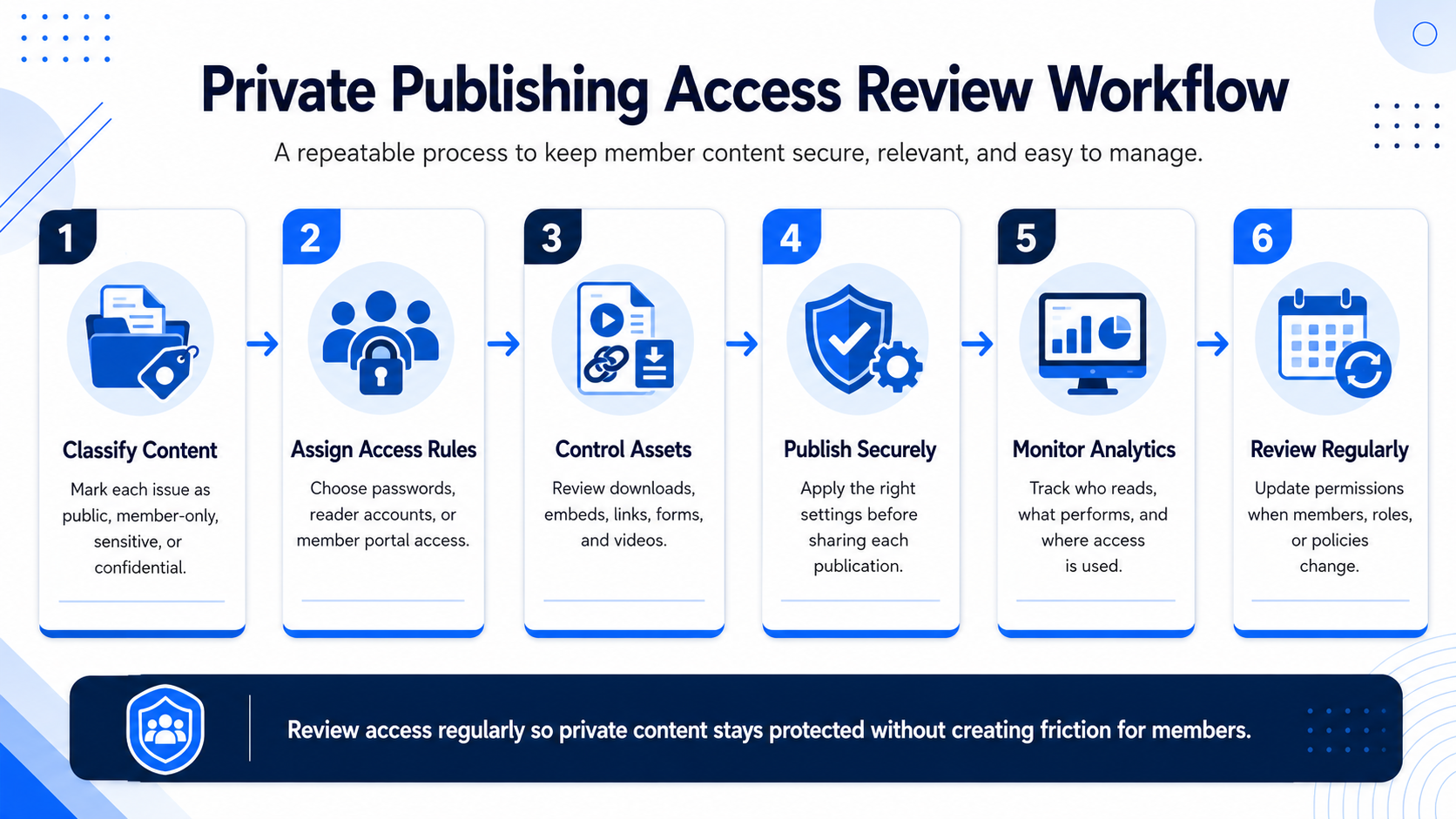
Create an Access Review Workflow
Privacy settings should not be configured once and forgotten.
Before Publication
- Classify the content.
- Select the access model.
- Confirm the authorized audience.
- Review linked resources.
- Test the reader experience.
After Publication
- Verify that intended readers received access.
- Review failed-access requests.
- Confirm analytics are available only to authorized staff.
Periodically
- Remove expired users.
- Review committee and board access.
- Update segment rules.
- Audit old passwords and shared links.
- Review archived publications.
- Confirm integrations still work.
Every protected publication should have a named owner responsible for its access list and review schedule.
Common Content-Protection Mistakes
Using One Password for Everything
Shared passwords are convenient but provide limited individual control.
Making All Content Private
This reduces discoverability, advocacy reach, and recruitment.
Forgetting Former Members
Access should reflect current entitlement, especially for premium content.
Protecting the Magazine but Not Its Links
Downloads, videos, and forms may need separate controls.
Creating Too Much Login Friction
Security that is difficult to use can reduce engagement and increase support requests.
Treating Access Control as Complete Security
Authorized readers can still copy visible information. Highly confidential content may need a different communication method.
How Joomag Supports Private Association Publishing
Joomag gives associations several ways to manage publication privacy and access.
Teams can:
- Publish selected content openly
- Protect publications with a password
- Grant access to selected people
- Require reader authentication
- Connect access through SSO
- Manage private sharing and access lists
- Control how protected publications appear in a Content Hub
- Manage embedding and additional privacy options where available
- Restrict back-issue access based on entitlement or segment
- Analyze reader engagement
- Use Joom Agent to explore performance
This flexibility allows associations to choose an access model based on the content rather than forcing every publication into the same workflow.
Conclusion
Protecting association content is not about locking everything behind one wall.
It is about giving the right people convenient access to the right information while preserving membership value, intellectual property, privacy, and trust.
A strong strategy combines public content for visibility, passwords for simple sharing, named-user access for greater control, reader accounts for recurring engagement, SSO for a seamless portal experience, segmentation for different groups, archive rules for back issues, transparent analytics, and regular access reviews.
With the right controls, associations can publish more confidently, personalize member experiences, and understand how protected content supports engagement and retention.
Ready to protect your member publications while keeping them convenient for authorized readers? Book a Joomag demo.
FAQ
Should an Association Magazine Be Public or Private?
It depends on the content and objective. Many associations use public articles for visibility and keep complete issues or premium resources private.
Is Password Protection Enough?
It can be suitable for temporary or lower-risk sharing, but named-user access or SSO provides greater individual control.
What Is SSO?
Single Sign-On allows members to use an existing identity or portal login to access connected systems and content.
Can Different Member Groups Receive Different Publications?
Yes. Access can be segmented by membership level, region, committee, subscription, or another relevant criterion.
Can Private Publication Engagement Be Measured?
Yes, subject to the association’s privacy and data-governance practices.
Can Access Controls Completely Prevent Copying?
No. They reduce unauthorized access, but an authorized reader may still reproduce visible information.