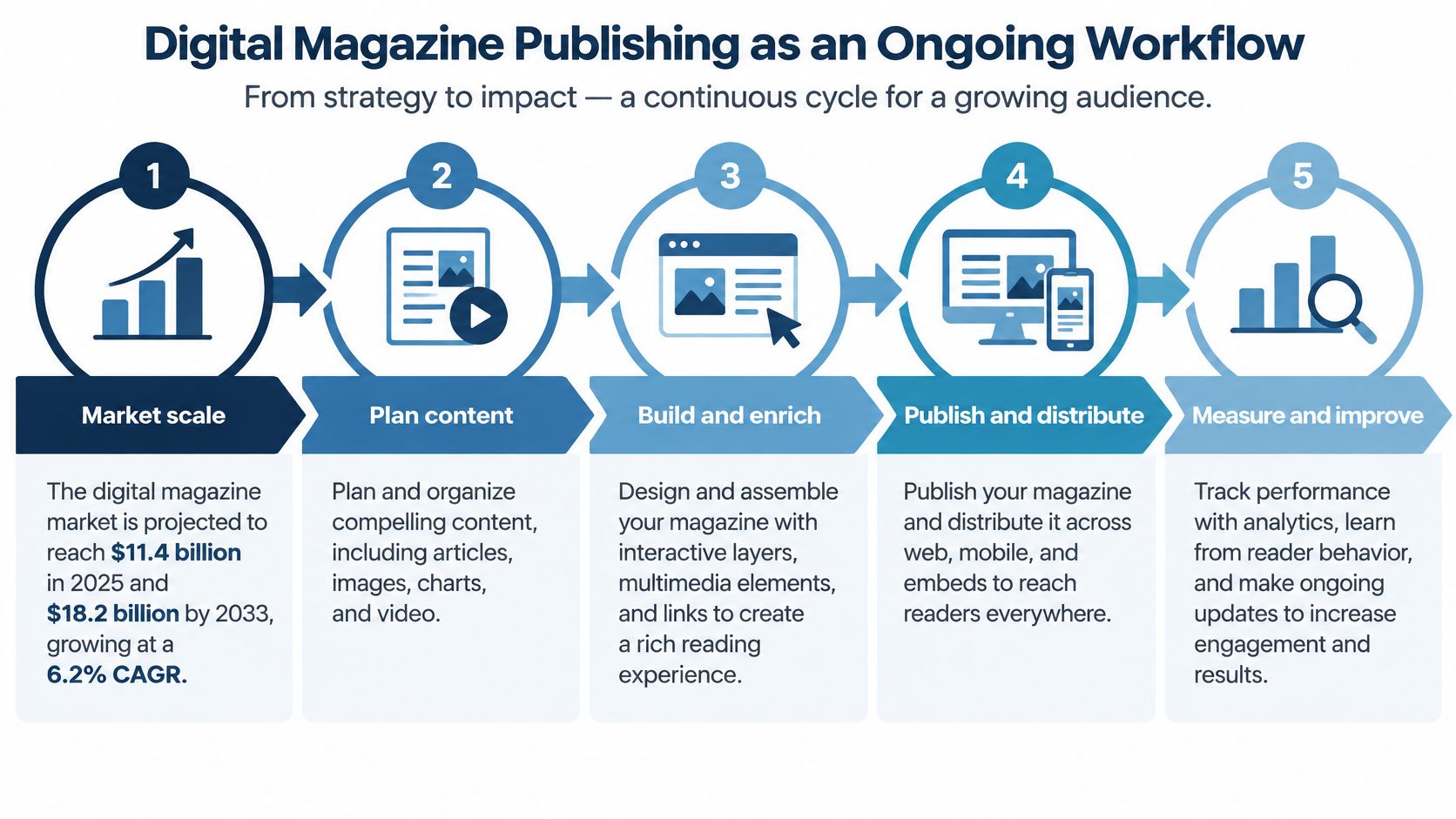
The digital magazine segment was valued at $11.4 billion in 2025 and is projected to reach $18.2 billion by 2033, a 6.2% compound annual growth rate, according to DataIntelo. That scale is the point. A digital magazine is a product you plan, sell, and revise, not a PDF parked in a page-flip viewer.
Publishing teams, associations, brands, and corporate communications groups still treat the upload as the finish line. The work that earns the next reader happens after the file is live: who it's for, what they should do, how they get in, and what you change on the next issue.
Digital Magazine Publishing as an Ongoing Workflow
A print issue is a finished object. You ship it, and the newsstand doesn't tell you who stopped at page 12. A digital issue behaves more like a shop front. You restock it, move the display, and count who came back after every edition.
Digital magazine publishing is that loop, repeated. You plan the reader and the business model, produce the issue, add the actions that matter, make it usable, set who can open it, put it where people already are, then read the behavior and change the next one. Skip a stage and the issue still "publishes." It just can't tell you whether anyone did the thing you needed.
| Stage | Key question | Output |
|---|---|---|
| 1. Plan the issue | Who reads it and what should they do next? | Brief with audience, action and model |
| 2. Choose production path | PDF-first or digital-first? | Workflow decision for the issue |
| 3. Create or import | Where does the content come from? | Editable issue in the publishing tool |
| 4. Add interactive content | Which elements help readers act? | Video, links, forms and prompts |
| 5. Make accessible | Can every reader use it? | Alt text, structure and contrast checks |
| 6. Optimize for mobile | Does it load and read well on a phone? | Mobile-tested layout and performance |
| 7. Set access | Public, private or gated? | Access rules and sign-in flow |
| 8. Distribute | Which channels reach the reader? | Website, email, social and hub placements |
| 9. Measure | What did readers actually do? | Reach, return and action metrics |
| 10. Improve | What changes in the next issue? | Revised plan based on behavior |
Four publications keep showing up in this work, and they don't share one answer. A trade magazine sells attention to equipment makers and wants a demo request. An association magazine is part of the dues and has to feel worth the login. An internal publication has to be read by employees who didn't ask for it. A corporate client magazine has to show account teams who opened the brief.
Progress often stalls at stage 2, arguing about the file format, or at stage 9, staring at a view count that doesn't change the next issue. The rest of this walk follows the ten stages in order.
Plan the Issue Around a Reader and a Revenue Model
Start with one reader, not a persona deck. Name the person who should finish the issue, and name the single action after the last page. A plant manager requests a quote. A member renews. An employee briefs a colleague before Monday's stand-up. If you can't say the action in one sentence, the issue will collect pages and no outcome.
Match the model to the door
The money, or the purpose, decides access, length, and how much data you may ask for.
Free controlled circulation is paid for by sponsors. It usually sits in public, or behind a short registration form, because the sponsor is buying reach among people who fit a job title. A trade title that sells sponsorship to equipment makers fits here: free with registration, and a form on the product pages.
Paid subscriptions and single-issue sales are sold to professionals or to someone who wants one edition. Those issues stay gated. You can't give the whole file away and still charge for it.
Sponsored or advertising editions stay public and aim at a broad niche. The reader action is attention on the sponsor's story, not a login.
Internal and corporate publications are funded from an organization budget. They stay private to employees or named partners. A client magazine that only account teams should see belongs in this group, with reading tracked at account level rather than as anonymous traffic.
Member benefits are already inside the dues. Keep the full issue behind login, or members will ask what the magazine line on the invoice is for.
Write the brief before the copy
Set the success measure before anyone writes. Registrations, readers who come back, or meetings booked are usable. "More engagement" is not, because nobody can tell you when you've hit it.
Cadence is a pipeline decision. A quarterly client magazine can wait on a feature and a photo shoot. A monthly trade title needs a standing slate of shorter pieces, or the designer will be rebuilding the issue the week it's due.
Practical rule: One brief per issue: audience, action, model, access level, cadence, and a named owner. If two of those boxes are blank, you're not ready to choose a file format.
Choosing Between PDF-First and Digital-First Production
| Criterion | PDF-first | Digital-first |
|---|---|---|
| Starting file | Finished print-style PDF | Article content and structured layouts |
| Setup time | Fast for existing issues | Longer initial build, faster reuse |
| Mobile reading | Often zoom and pan | Reflowable or responsive pages |
| Search indexing | Limited, depends on text layer | Article pages with headings and metadata |
| Interactive elements | Added as overlays | Built into the layout |
| Accessibility | Needs tagging and remediation | Structure planned from the start |
| Analytics depth | Issue-level views | Article and section events |
| Best fit | Archives and existing print issues | New recurring publications |
The trade-off is speed against reuse. PDF-first is the faster path when the print issue already exists. You keep the designer's pages, and you can have something online this week. You also inherit a fixed layout, thin text structure, and analytics that often stop at "someone opened the issue."
Digital-first takes longer the first time. You build article pages, headings, summaries, and metadata that email, social, and search can each use. The second issue is faster because the template, the menu, and the measurement are already there.
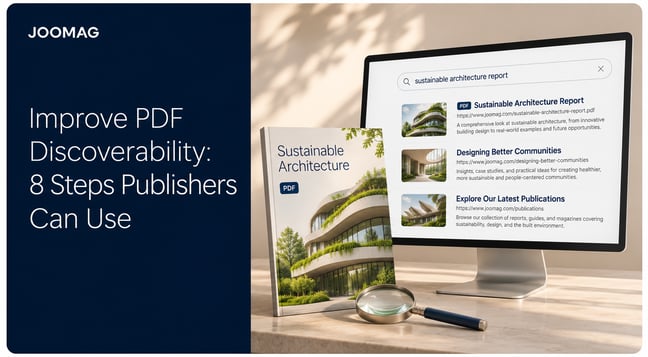
Google's guidance on how search works is blunt about the indexing piece: key information should be placed in text, because text is the safest format for understanding and indexing, even though Google can parse many file types. A flipbook of page images will not earn the same article traffic as pages with real headings. The visual issue can still be the front door. Individual stories are what get shared and found.
Combine Your Existing PDF With Responsive Articles
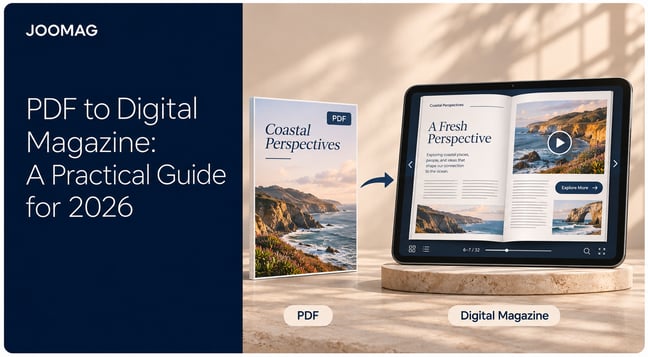
Many publishing teams already have a well-established design process. Their magazines are created in InDesign or another layout tool, approved for print, and exported as PDFs. A hybrid workflow lets them keep that process while giving digital readers more ways to access the content.
With Joomag, the designed PDF remains available as a complete magazine, preserving its photography, typography, and page layouts. Alongside it, Joomag’sAI Article Extraction turns individual stories into responsive HTML articles that adapt to the reader’s screen. Someone browsing on a desktop can explore the full issue, while a phone reader can follow a story without constantly pinching, zooming, and moving between columns.
Review the extracted content in Article Studio before publishing. Check paragraph order, headings, images, captions, and links, then apply your brand styles to keep the article experience consistent with the magazine. This reduces the manual work of recreating stories for the web while keeping editors in control of the finished content.
Each article has its own URL, making it easier to promote a specific interview, industry analysis, or customer story through newsletters, social posts, and relevant website pages. Readers can enter through the story that interests them and continue exploring the wider publication.
Joomag’s accessibility mode also supports screen readers, keyboard navigation, and adjustable text sizes. Include checks of the finished articles and their navigation in your publication review.
This approach works particularly well for recurring magazines that need to preserve a distinctive design while supporting mobile reading and article-level distribution. Your existing issue becomes the foundation for a broader digital publishing workflow.
Which path for which team
An association with a long print archive should convert the back catalog PDF-first and build new issues digital-first. A corporate team on a monthly internal magazine should go digital-first from the start, because reuse and article-level measurement are the reason the magazine exists. A trade publisher with a designer-led print edition can keep the PDF as the print master and publish a digital-first web version beside it.
If the issue must be read on a phone, found in search, or judged article by article, choose digital-first. If it must match print exactly and it is a one-off or an archive, PDF-first is acceptable.
Build the Issue and Add Interactive Layers
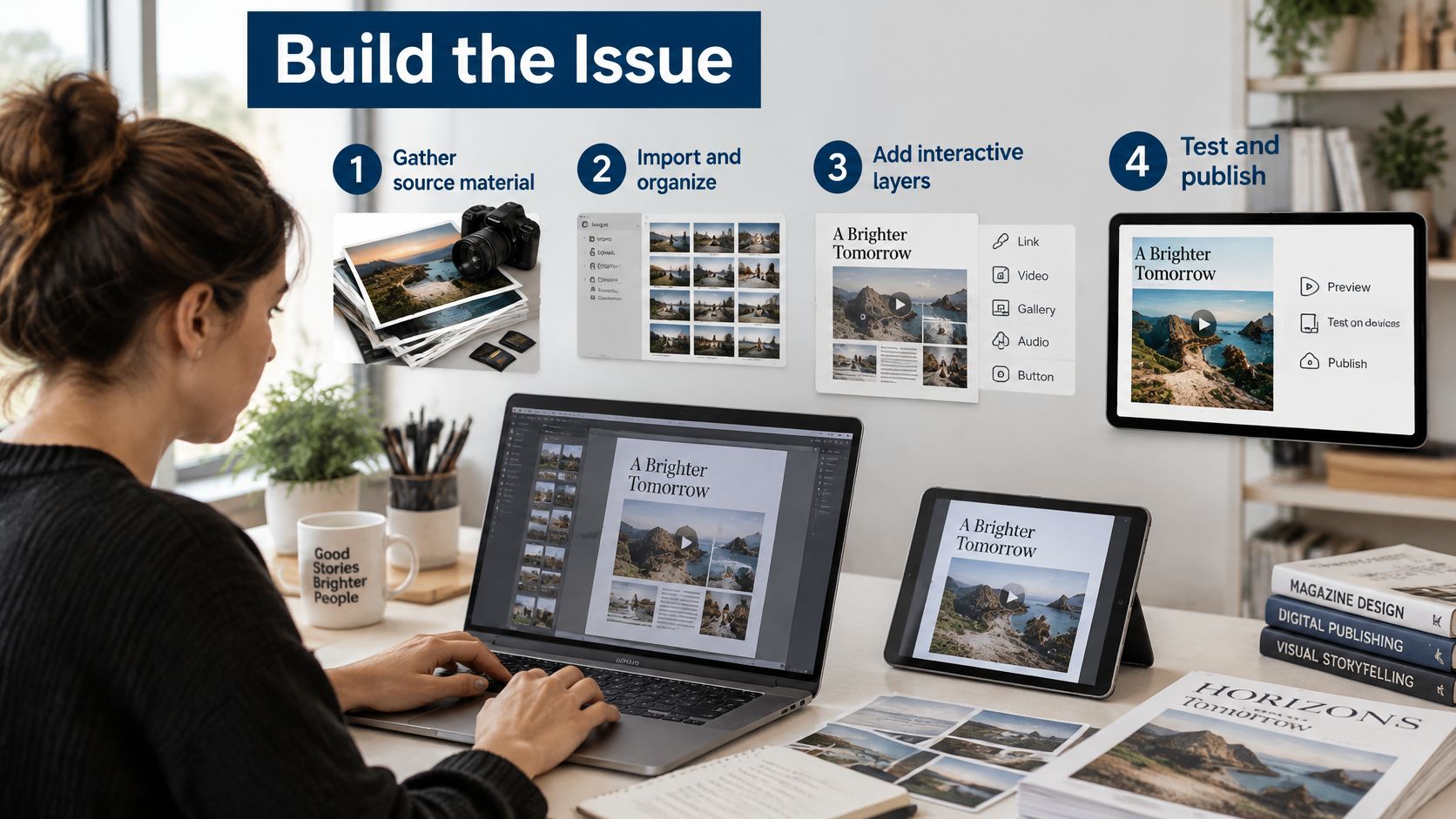
Production fails in boring ways: a chart nobody licensed, outlined type that can't be searched, and a form that lands in a inbox nobody checks. Work through the build in order so those don't show up the night before send.
- Gather final source files. Articles, images, charts, video, and brand fonts, with rights cleared and versions locked. A "nearly final" InDesign file will be edited twice, once by the editor and once by whoever notices the old price.
- Import or create, then test the text. Bring in the PDF or InDesign file, or start from a template. Confirm imported text is live, not outlined. Outlined type looks correct and fails every later test: search, screen readers, and copy edits.
- Name the structure. Section names, article start points, and a navigation menu. A story without an entry in the menu is a story most readers will never find, especially on a phone.
- Add interaction only where it serves the action. Video, audio, galleries, contents links, request forms, and a short prompt at the end of a piece. Interactive digital publications are useful when each layer points at a next step, not when every spread has a popup.
One action, matched to the publication
A trade magazine links a product spec to a demo request, because the sponsor paid for that conversation. An association drops in a two-minute video from the conference chair at the top of the member briefing, then stops. An internal publication embeds a policy acknowledgement form under the new travel rules, so HR can see who confirmed them.
The common slip is decoration. Hotspots, autoplay, and popups on every page train people to ignore all of them. Give each article one next action.
Before you release, click every link, play the media on a phone, and submit each form to the inbox that owns the reply. A form that routes to a shared address nobody monitors is worse than no form, because the reader thinks someone received it.
Make Every Issue Accessible and Fast on Mobile
A magazine that takes six seconds to show its first story has already lost the reader the issue was built for. Mobile performance is a budget you spend before launch: images, scripts, fonts and embeds all draw from it, and whatever you overspend shows up later as an abandoned issue.
| Requirement | Threshold | What it means for readers |
|---|---|---|
| Largest Contentful Paint (LCP) | 2.5 seconds or less | The opening article or hero image becomes usable quickly |
| Interaction to Next Paint (INP) | 200 milliseconds or less | Taps, page turns and menus respond promptly |
| Cumulative Layout Shift (CLS) | 0.1 or less | Text, buttons and media do not jump while loading |
| Contrast, normal text (WCAG) | 4.5:1 minimum | Body copy is readable against brand colors |
| Contrast, large text (WCAG) | 3:1 minimum | Headlines and pull quotes stay legible |
Those Core Web Vitals targets, measured at the 75th percentile of real-user sessions, come from publisher guidance on Core Web Vitals. LCP is whether the opening story appears before the reader gives up. INP is whether a tap, a page turn, or a menu answers. CLS is whether the text jumps while an ad or an image finishes loading. A clean desktop lab score can hide all three on the mid-range phone your members use.
Every interactive layer you added in the last stage competes for those same seconds. A full-screen popup that fires on entry, a hero video that autoplays, and a third-party form can each cost more load time than the story itself. Pick the one that serves the issue's action and make the rest lazy-load or wait for a tap.
Treat access as production, not a last look
WCAG 2.2 requires text alternatives for non-text content, so the same information can be rendered as large print, braille, speech, symbols, or simpler language. It also sets the contrast floors in the table: 4.5:1 for normal text and 3:1 for large text. Those rules apply whether you built the issue digitally or imported a PDF.
Write alt text that says what a chart argues, not "chart of sales." Keep headings in a real reading order. Offer a reflowable or HTML version so someone who zooms, or who uses a screen reader, isn't trapped in a fixed spread. Accessibility rules across the EU now reach many digital products and services, and buyers in education, government, nonprofits and large enterprises increasingly ask suppliers to demonstrate how an issue behaves with screen readers, keyboard navigation, reflowable text, audio and translation. Treat that request as a test plan rather than paperwork, and run it on one real issue before the conversation happens.
Say a corporate magazine leads with a dense infographic on office energy use. Put a short text summary beside it. Mobile readers get the point without pinching. Employees using a screen reader get the same point without guessing at a picture.
Test on a throttled connection and a mid-range phone, then watch results by device and by issue template. A mobile reading experience that only passes on the designer's laptop will fail the audience you planned for in stage 1. The fix is rarely one big rebuild. It is usually two images removed from the top of the issue, a font subset, and a form that loads only when someone scrolls to it.
Set Access and Distribute Where Readers Are
Access is a search decision and a data decision at the same time. Pick it before you write the launch email.
Public issues suit trade magazines that need reach. Pages stay fully indexable, and you accept anonymous views. Public issues with gated articles suit an association that wants search traffic and still protects the member file. Private login suits internal magazines: not indexed, and you know the employee's name. A gated full issue suits subscribers, with registration and a consent record. Account-restricted access suits client proposals and sales material that should never appear in search, with engagement stored against the account.
Google's paywalled-content documentation is the rule that bites teams later. Mark each restricted section, set isAccessibleForFree to false, and identify the type, such as NewsArticle. Don't show crawlers a different article from the one readers see. That pattern can look like cloaking.
A professional association can keep the member issue behind login and publish three articles in public as search entry points. An internal communications team can lock the magazine to authenticated employees and post only a teaser on the intranet.
Put the link on the story, not the cover
Website placement and embeds catch people already on your site, and they help the public articles get indexed. Email should link to one article, not the whole issue, because a cover link asks the reader to hunt. Social posts should do the same: one story, one reason to open it. A content hub groups issues by topic so last quarter's briefing is still findable when this quarter's email is gone.
More channels only help if the tracking is the same. Otherwise you can't tell a LinkedIn reader from an email reader, and you can't tell which path produced the demo request.
Registration has a privacy cost. The UK Information Commissioner's Office expects you to explain why you collect details, say who you'll share them with, show that privacy information when you gather them, and have a lawful basis before you profile interests. Put the consent wording on the form, before the reader enters, not in a footer they never open.
Measure Readership and Improve the Next Issue
Views are the weakest number you can celebrate. Split what you collect into four signals, or the dashboard will flatter you.
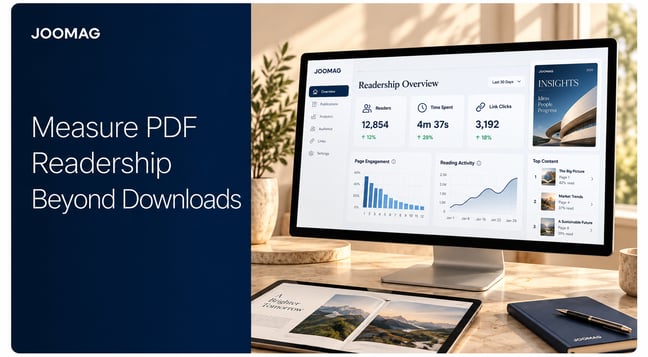
Exposure is unique readers reached. Frequency is who comes back: week-to-week return, issues read per person, and the gap between sessions. Engagement is whether they finish an article and move to a related one. Action is the brief you wrote in stage 1: a form, a download, or reading inside a target account.
A 2025 peer-reviewed study of server logs from more than 42,000 digital-magazine subscribers, across 150,000+ sessions and 11 consecutive issues, found that every subscriber opened the magazine at least once, only about one-third returned from week to week, and about 1% viewed every issue, as reported in the Journal of Advertising Research. A large first open and a thin habit can sit in the same file. If total views are your KPI, you will miss that.
A revision routine you can run every issue
- Pull the return rate for that issue, not the all-time total.
- Compare article completion by section, not by the prettiest spread.
- Send people who finish a topic the next piece on that topic, while the interest is still current.
- Flag segments that don't return, and test a shorter path or an alert rather than a longer feature.
- When you change a layout, compare cohorts. An average across old and new readers will hide whether the change worked.
Segment by account, role, how they arrived, and what they read. That is how you find the readers worth a follow-up, and how you see which acquisition source only produces one visit. Digital publishing analytics are only useful if those events exist at article level. Issue-level opens can't support steps 2 through 5.
Say a trade publisher finds high completion on product reviews and almost no one returning. The next issue puts a comparison summary on the front page, with a link back to the reviews, so the section has a reason to be reopened.
Keep a revision log: one change, the reason, and the result. Improvements compound only if the next editor can see what you already tried.
Choose a Platform That Covers the Full Lifecycle
A viewer that flips pages will clear stages 3 and 4 and fail the rest. Score the platform against the work you repeat.
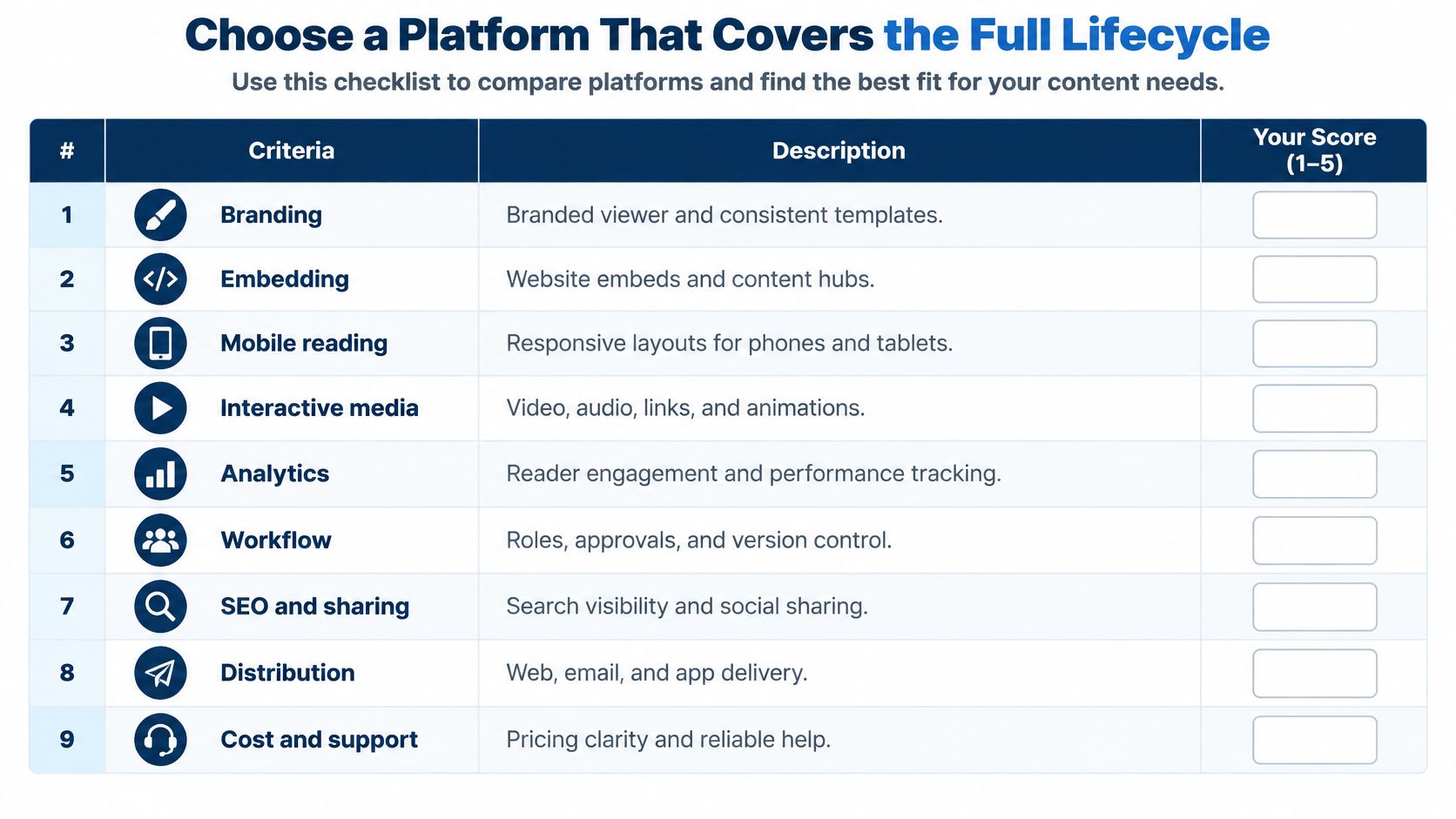
| Feature | Why it matters | Trial test |
|---|---|---|
| Branding | Keeps every issue consistent with the brand | Apply your template and fonts to a real issue |
| Embedding | Places issues on the website and in hubs | Embed one issue on a test page and check it loads |
| Mobile reading | Most readers use phones | Open the issue on a mid-range phone over a slow connection |
| Accessibility | Makes content usable by everyone | Export alt text and check reading order |
| Interactivity | Turns reading into action | Add a video, a form and one popup to a real article |
| Analytics | Shows what readers do | Confirm article completion and return visits are recorded |
| Audience identification | Connects reading to accounts | Check consent wording before registration |
| Access control | Protects member and internal content | Gate one article and test the sign-in flow |
| Distribution | Reaches readers by email and social | Send a test email and confirm the link opens the right article |
Run the tests on one real issue that already has a chart and a video. Apply your template and fonts. Embed that issue on a test page. Open it on a mid-range phone over a slow connection. Export the alt text and walk the reading order. Add one video, one form, and one popup, then stop. Confirm the analytics record article completion and a return visit, not only a launch. Read the consent line before you create a registration. Gate one article and try the sign-in as a member would. Send yourself the email and check that the link lands on that article, not the cover.
We built Joomag as a content experience platform for magazines, catalogs, brochures, proposals, and reports that are personalized and interactive. Issues can be standalone viewers, content hubs, website embeds, or native mobile apps, and readers can be grouped by demographics, interests, and behaviors for targeted delivery. Treat those as claims to test on your file. A vendor page can't tell you whether your gated article, your form, and your email link survive the same afternoon.
Don't buy on a demo issue the vendor prepared. Push one of your own issues through all ten stages. Commit when the brief, the access rule, the phone test, the email link, and the return-rate report all work on that same file.
Bring Your Digital Magazine Publishing Workflow Together With Joomag
Joomag connects publication creation, distribution, and reader analytics in one platform. Start with an existing PDF or create a new layout, add relevant videos, links, and forms, and choose the access settings and distribution channels that suit your audience.
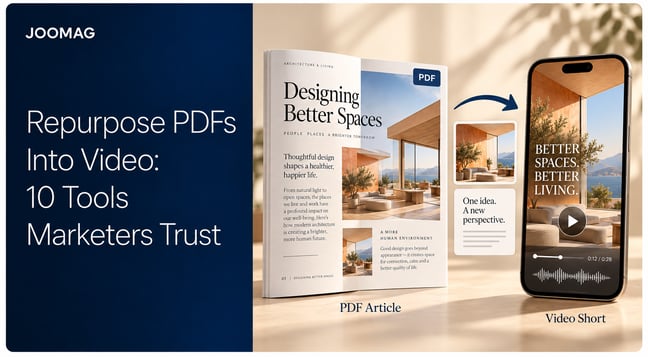
Use AI to turn publication content into mobile-friendly articles and repurpose selected stories into short-form videos. Each issue can support a complete reading experience alongside individual stories and promotional clips that extend its reach.
After publication, explore reader engagement through Joomag’s analytics. Ask the AI Agent questions about publication and email campaign performance, compare results, and generate reports to inform your next edition.
Book a demo to see how Joomag can support your magazine from the first upload to the next issue’s improvements.